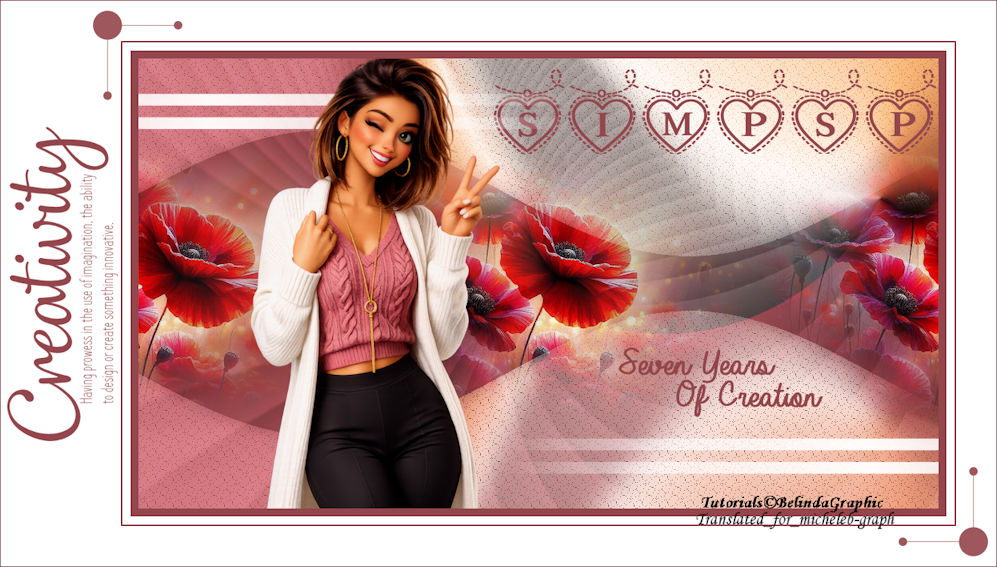
  For my personal version, I thank Cat Dana for her misted landscape, the woman was found on Pinterest and clipped by me. 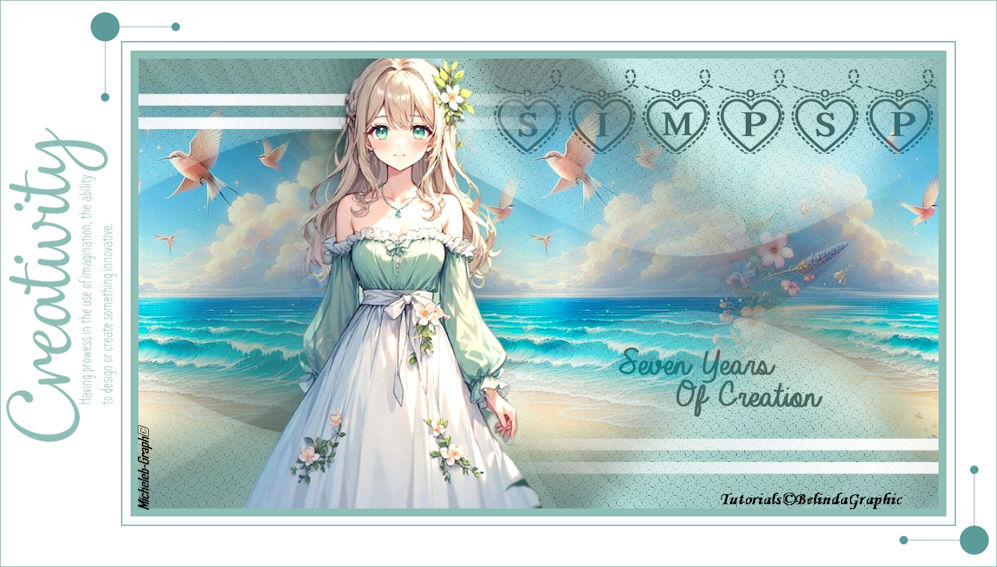 I thank Belinda for allowing me to translate her tutorials into English. The link to the original lesson is under its banner  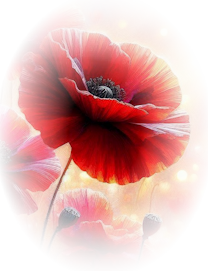 Material  The main character, the WD in the center of the image, the background, and the decorations are my own creation. The WD on the left side was found HERE The material in the downloadable file is exclusively reserved for the creation of this tutorial. ** COLORS.
** FILTERS. Flaming Pear > Flexify 2 Screeworks > Lace Screen 1. Note the Background Sim-Psp-7-Years - Duplicate it. Effects - Reflection effects - Feedback 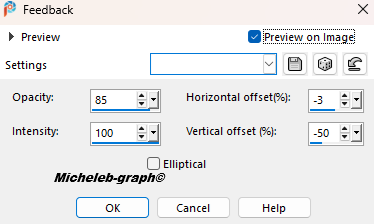 2. Effects - External modules - Flaming Pear - Flexify 2. 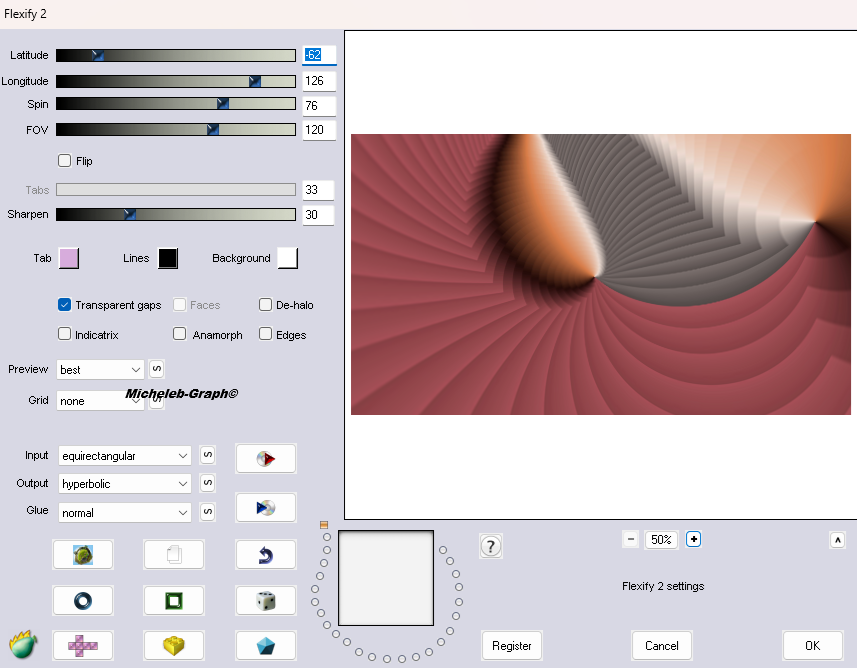 3. Selection tool (S) Custom Selection - Enter these numbers: 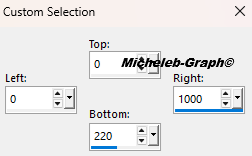 4. Selections > Transform the selection into a layer. Selections > Don’t select anything. Effects > Distortions Effects < Wave 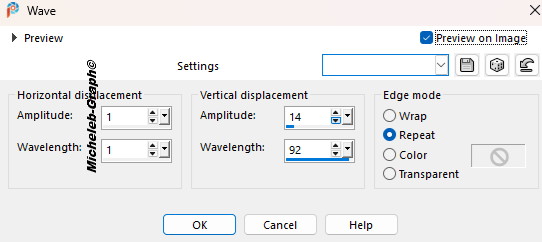 5. Selections - Select all. Selections - Floating. Selections - Static. Adjustment - Blur - Gaussian Blur - Radius at 12.  6. Selector Tool (K). 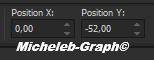 "M" to deactivate 7. Effects - 3D Effects - Drop shadow 2 2 50 30 in #000000 color. 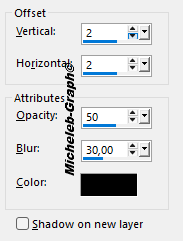 Layers - Duplicate. Image - Mirror - Vertical Mirror. Layers - Merge - Merge the layer below. Merge mode: Screen. 8. Effects - Plugins - ScreenWorks - Lace Screen. Open and copy Misted>BG-Sim-PSP-7-Years. Edition - Paste as new layer. Effects - Image effects - Seamless mosaic - Side by Side. 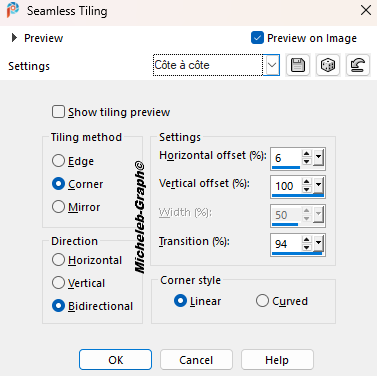 9. Layers - Rearrange - Move down. Adjustment - Sharpness - Sharpness. Position yourself on the top layer. Open and copy TEXTE-Sim-Psp-7-Years. Edition - Paste as new layer. Selector Tool (K) 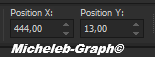 "M" to deactivate 10. Open and copy Déco-1-Sim-psp-7-years Paste as new layer He is well positioned 11 Open and copy SIMPSP-7-Years-Woman. Edition - Paste as new layer. Image - Resize this layer to 78%. Image - Mirror - Horizontal mirror. Selector Tool (K). 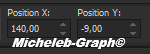 "M" to deactivate 11. Image - Add 10-pixel borders color 1 Image - Add 10-pixel borders color 2 Image - Add 2-pixel borders color 1 Image - Add borders > Symmetric box not checked color 2 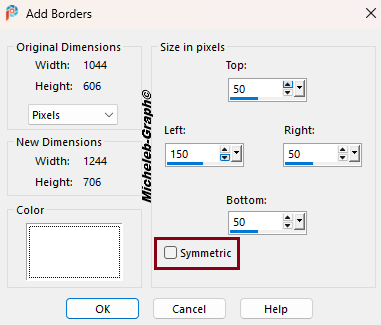 12. Open and copy WA-CreativityDEF. Edition > Paste as new image < Close the original. Lasso tool > Point-to-point < Zero progressivity<Circle the text.  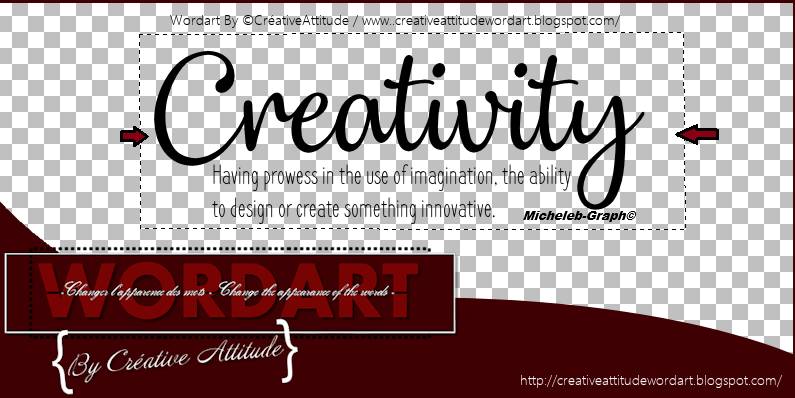 13. Image - Negative image. Color changing tool - Pour color 1 into the text. Image > Free rotation. 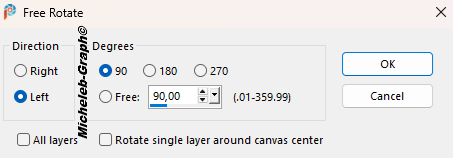 14. Image - Resize this layer to 80%. Place as on the model. or selector tool (K) 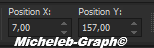 "M" to deactivate 15. Open and copy Deco-2- Sim-Psp -7-Years. Edition > Paste as new layer. Place in the left corner of the image. Layers > Duplicate. 16. Image - Mirror - Horizontal mirror (be careful to place it correctly!). Image - Mirror - Vertical mirror. 17 Add your signature Add Belinda’s signature Add my signature Translation Micheleb-Graph 18 Image - Add borders (check the box marked Symmetric) of 1 color pixel 1 Image - Resize to 997 pixels wide. File - Save as JPEG. Your creation is finished, I hope you enjoyed it. Can you send it to me by email  Version of my tester Irene 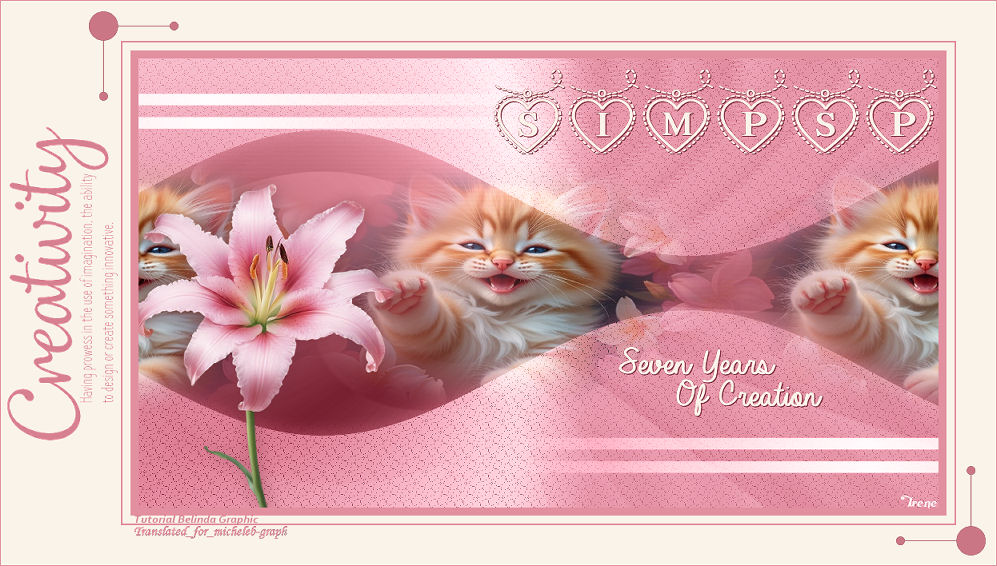 INDEX  Ce(tte) œuvre est mise à disposition selon les termes de la Licence Creative Commons Attribution - Pas d’Utilisation Commerciale - Pas de Modification 3.0 France. |