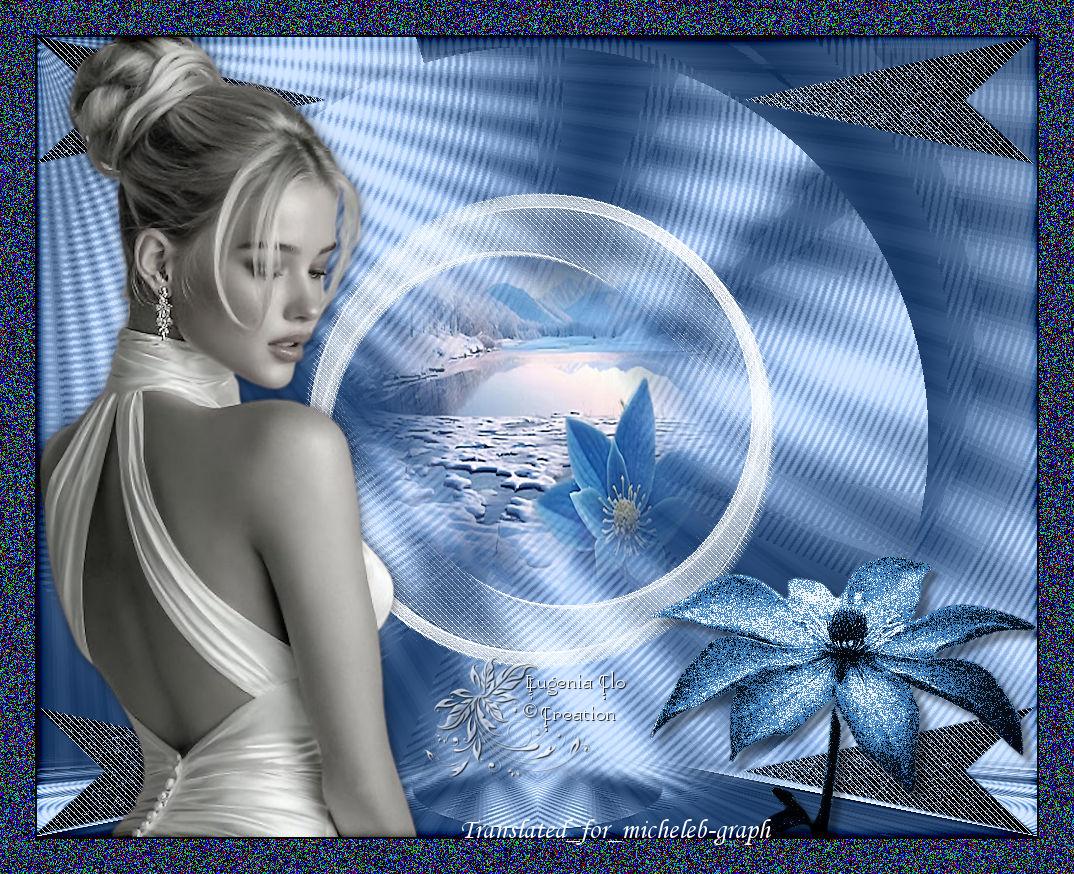
Lesson original by Eugenia Clo created on april 12, 2025
©Eugenia-Clo 2016/28 – all rights reserved

Matérial
:

Woman3259_byClo
MistedPaesaggio154_byClo
Element 1 - Element 2 + Element 3
Flowering_ByClo
Selections flowering1 & flowering 2
Watermark Clo ©Creation
Watermark Translated
Micheleb-Graph
***
Filters

VM Distortion
MuRa's Meister
AP 01 [Innovations] or AP Lines - Lines -
Silverlining
Andrew' Filter Collection 56
***
Install filters you don't have in the corresponding folder
before you open your Psp.
Open your tubes in Psp, duplicate them and close the originals,
don't forget not to save regularly, an untilmely closure of Psp
is always to be expected.
****
1
Colors
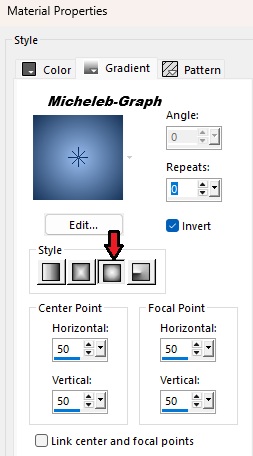
Foreground: #173358 -
Background: #97bcef
Make a
foreground Halo gradient

2
Open a new transparent image of 1000 x
800 px
Fill in with the gradient
3
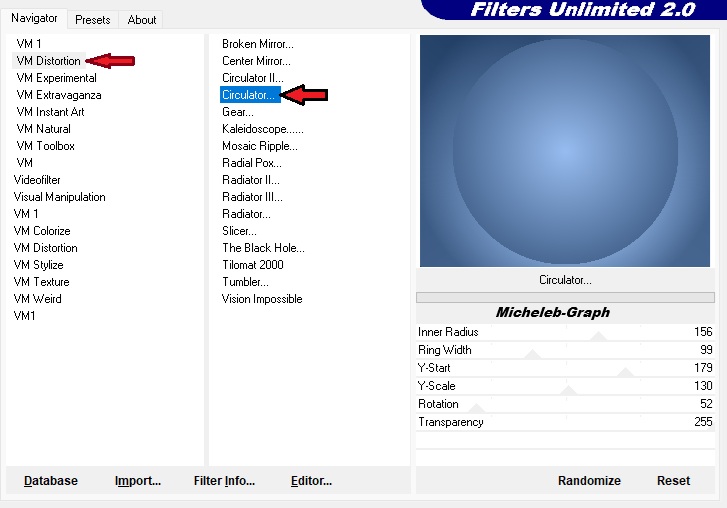
Filters - Unlimited 2.0 - VM
Distortion - Circulator

4
Open and copy Element 1
Paste as new layer
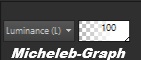
Blending mode - Luminance (H)

5
Layers - merge - merge
layer from below
Layers -
duplicate
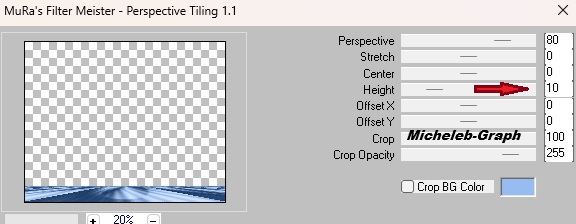
Filters -
MuRa’s Meister - Tiling Perspective

6
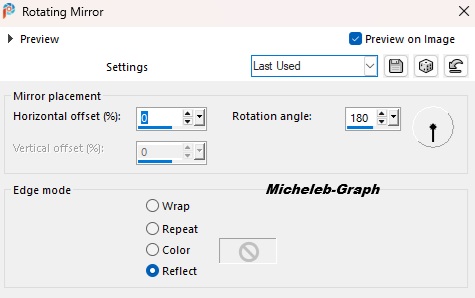
Effects - reflexion effects - rotating mirror

7
Select the transparent part with your magic wand - Progressivity
at 30
Press 5x on the "delete" key of your keyboard
Selections - do not select anything
Adjustment - sharpness - more sharpness
8
Open and copy item 2
Paste as new layer
He is well positioned
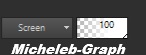
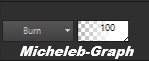
Merge mode - Screen

9
Open and copy item 3
Paste as new layer
Merge mode - Screen

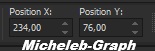
Position (K on your keyboard)
Press "M" to disable

10
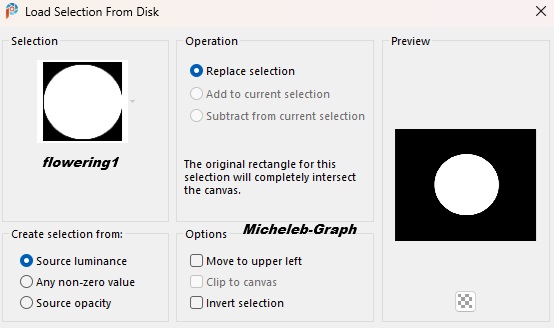
Selections - from disk - load flowering1 selection

11
Layers - new layer
Open and copy MistedPaesaggio154_byClo
Paste in the selection
Selections - do not select anything
Adjustment - sharpness - more sharpness
Layers - rearrange - move 2x down
12
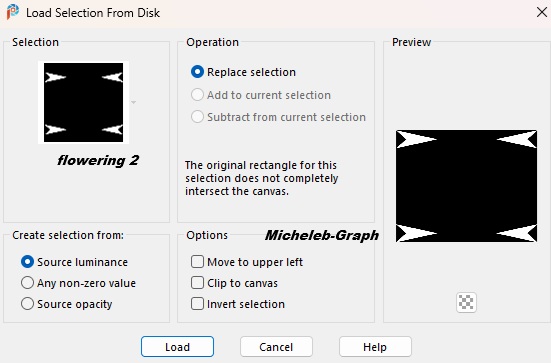
Selections - from disk - load flowering2 selection

Layers - new layer
Fill in with the gradient
Selections - do not select anything
13
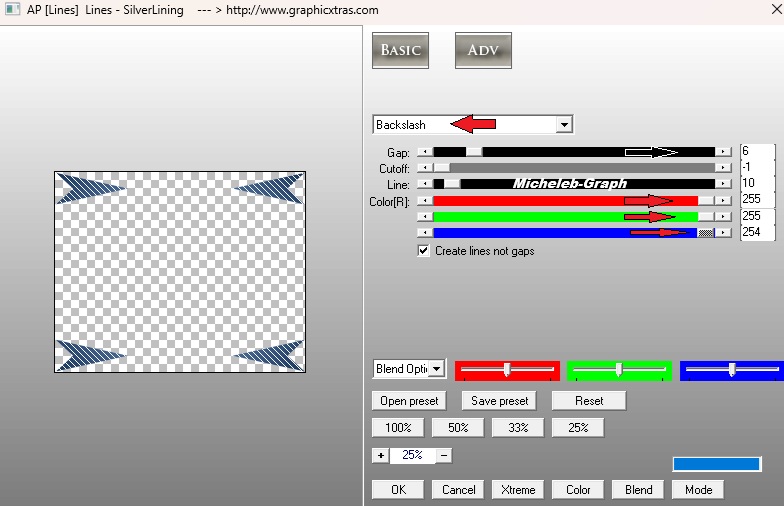
Filters - AP 01 [Innovations] or AP Lines - Lines Silverlining

14
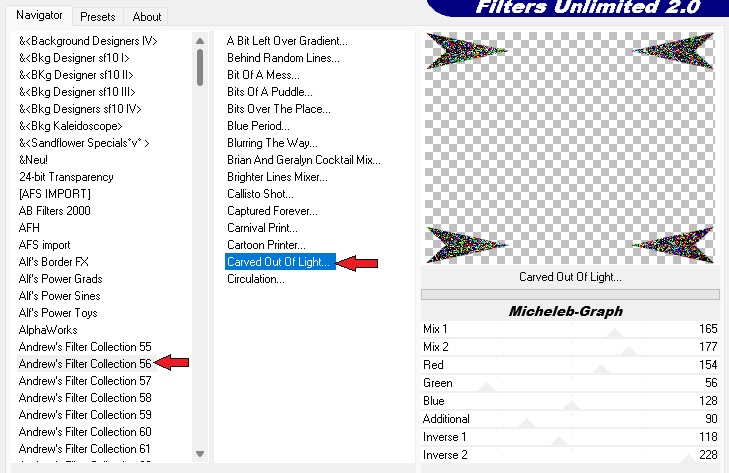
Layers - duplicate
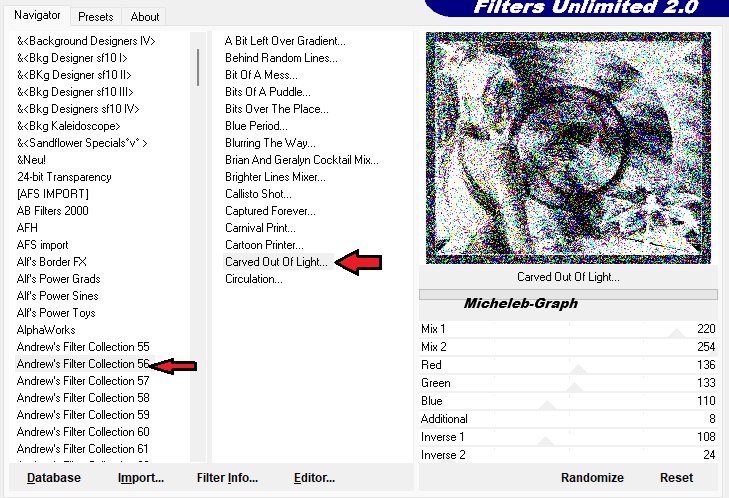
Filters - Unlimited 2.0 - Andrew’s Filter Collection 56 - Carved
Out Of Light

Fusion mode - Luminance (Inherited)

Adjustment - sharpness - more sharpness
15
Open and copy flowering_byClo
Paste as new layer
Layers - rearrange - place on top of stack
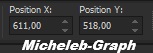
Position (K on your keyboard)

Press "M" to disable
16
Layers - duplicate
Filters - Unlimited 2.0 - Andrew’s Filter Collection 56 - Carved
Out Of Light

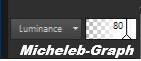
Blending mode - Luminance - Layer opacity: 80%

Layers - merge - merge layer from below
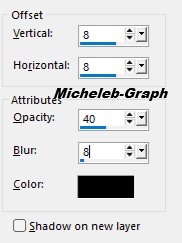
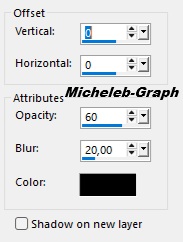
Effects - 3D - drop shadow

17
Open and copy Woman3259_byClo
Paste as a new layer
Image - resize to 70%
*All UNCHECKED layers*
Adjustment - sharpness - sharpness
Object - align - left
Effects - 3D - drop shadow

18
Image - add borders
2 px - foreground color
35 px - background color
Select this border with your magic wand - Progressivity to 0
Selections - transform the selection into a layer
19
Filtres - Unlimited 2.0 - Andrew' Filter Collection 56 - Sculpté
dans la lumière

Mode de fusion - Assombrir

20
Adjustment - sharpness - more sharpness
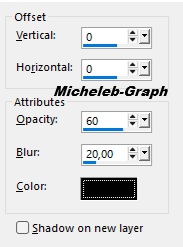
Effects - 3D - drop shadow

Repeat the drop shadow
Selections - do not select anything
21
Add your signature and/or
watermark
Add the
watermark of Eugenia as well as mine Translation Micheleb-Graph
Layers -
merge - merge all
Save as. Jpg
*****
Your image is finished
I hope she has more
Can you send it to me by email

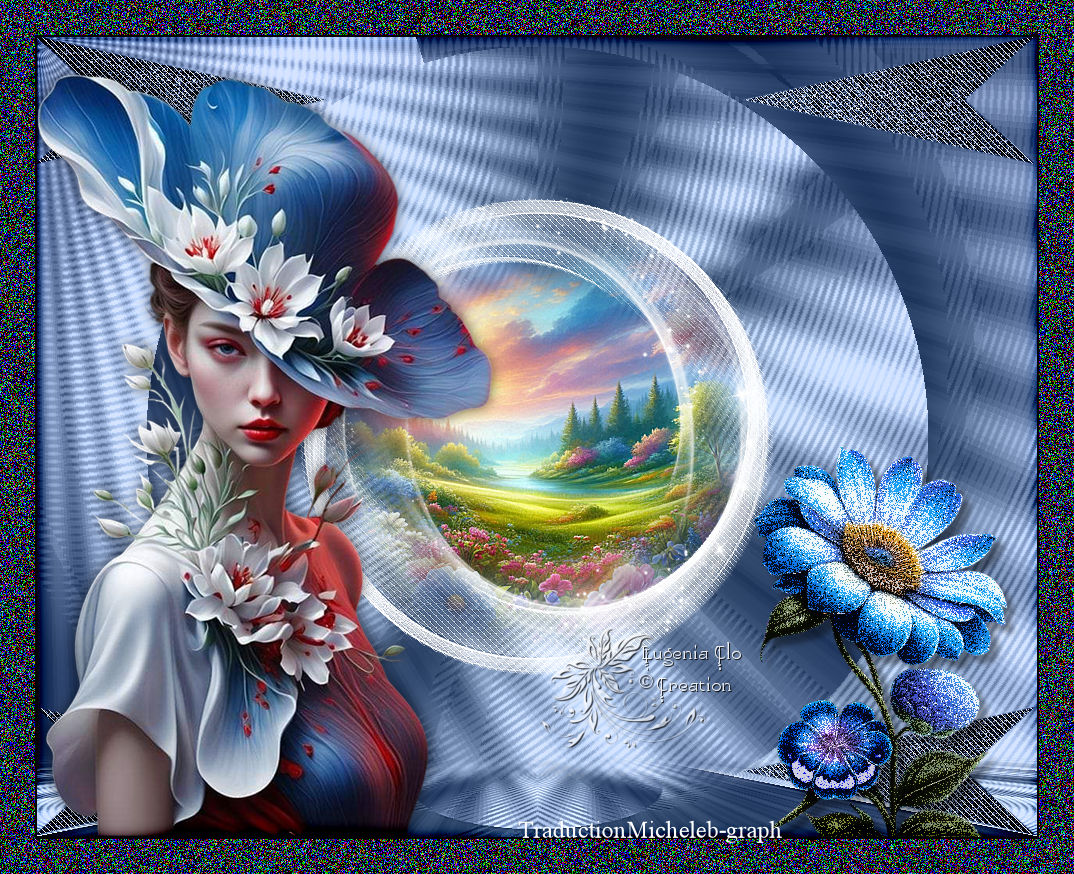
My version :

Thank you to Colybrix for her women and flowers hits
as well as to Cat Dana for her landscape hit
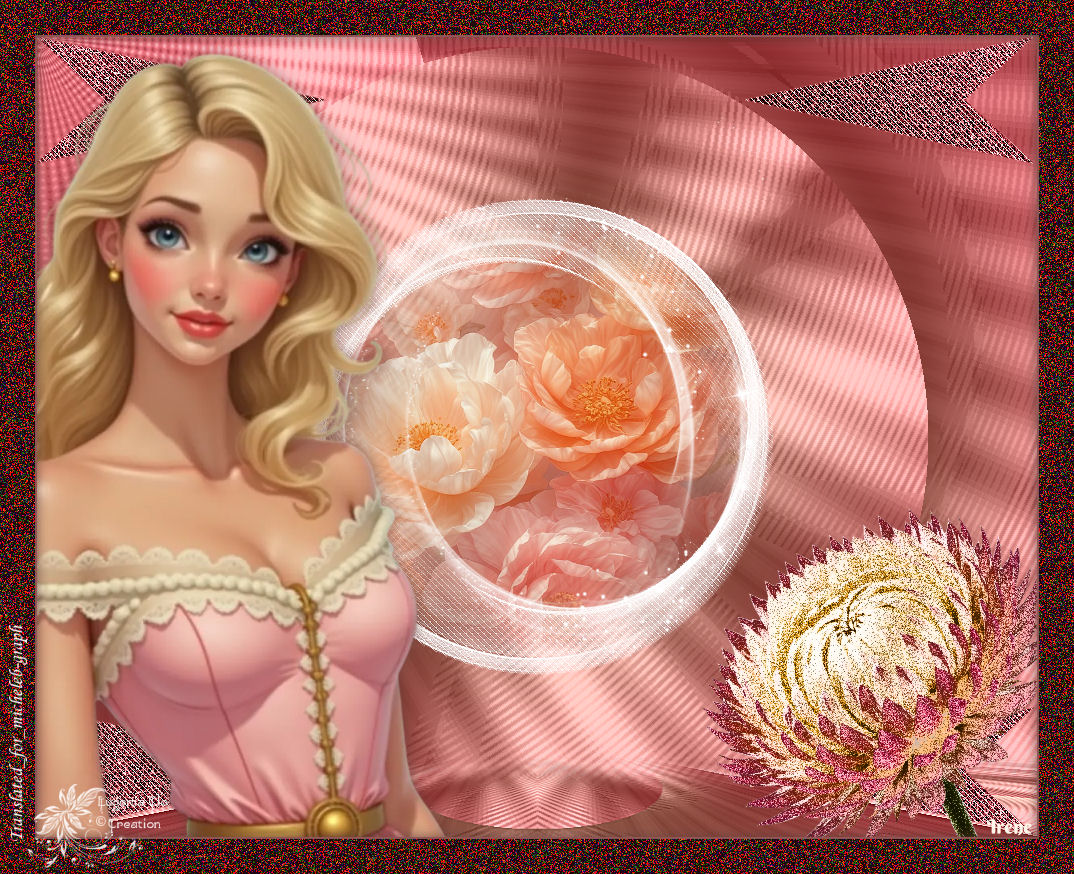
My tester's version :
Irène

 Ce(tte) œuvre est mise à disposition selon les termes de la
Licence Creative Commons Attribution -
Pas d’Utilisation Commerciale - Pas de Modification 3.0 France.
|