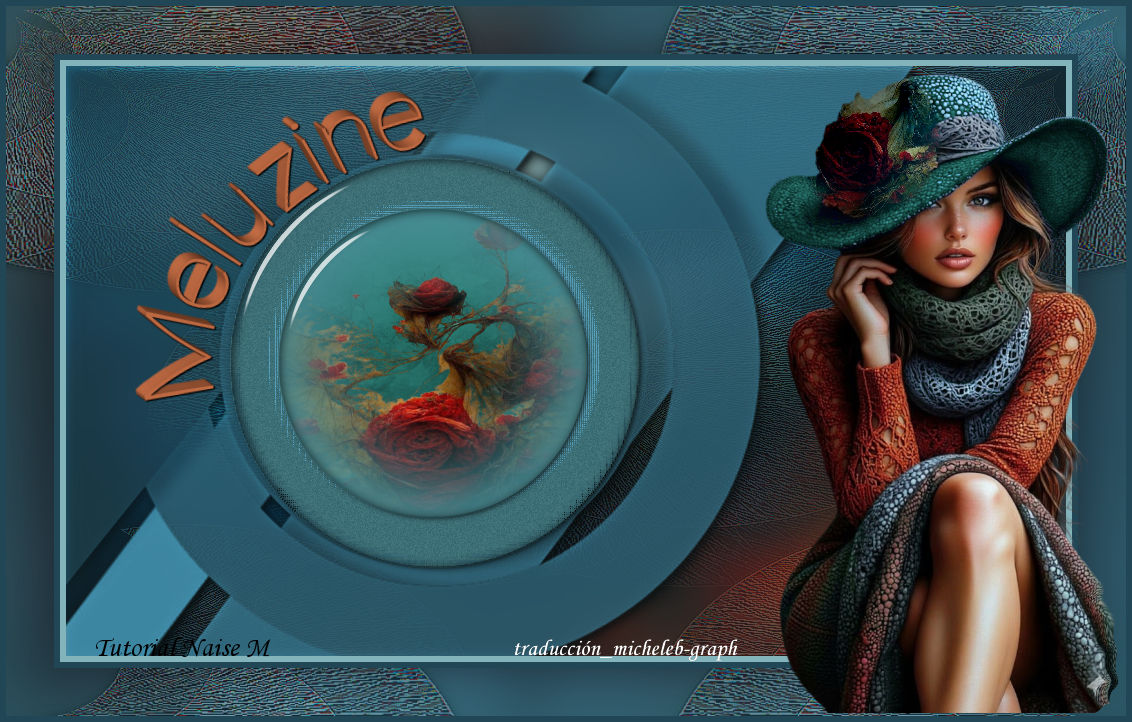
For my personal version, I thank EMA for its flowers and women’s tubes.


I thank NaiseM for allowing me to translate their tutorials into French.

Link to the original lesson under the banner


Material


Exclusive NaiseM tube

Image

Misted

Title

Alpha_Meluzine Channel

Signature of NaiseM

Signature Translation Micheleb-Graph
Used Filters

Alien Skin - Eye Candy5 - Impact: Glass

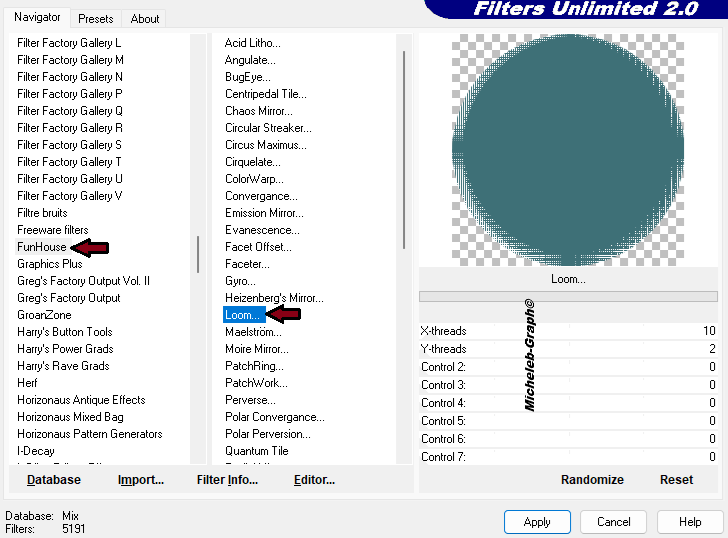
Unlimited 2.0 - FunHouse: Loom


Double-click on the "Meluzine" preset; it installs automatically.

Install the filters you don’t have before opening your PSP

Open and duplicate the tubes in PSP, close the originals

Remove the watermarks on COPIES

Thank you to Renée for letting us use her filters


Colors


Foreground: #396a71

Background: #19434f

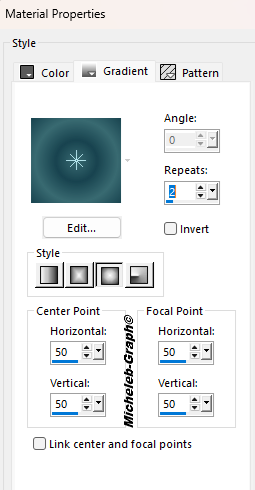
Make the following Halo gradient


1

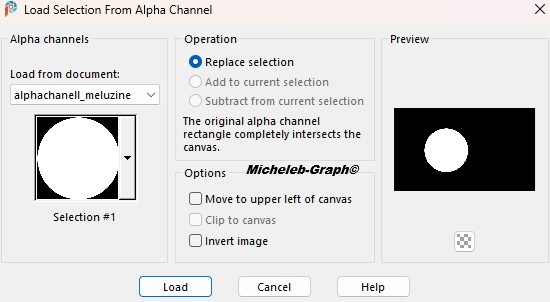
Open the alpha_Meluzine channel

Window - duplicate

Close the original, we will work on the copy

2

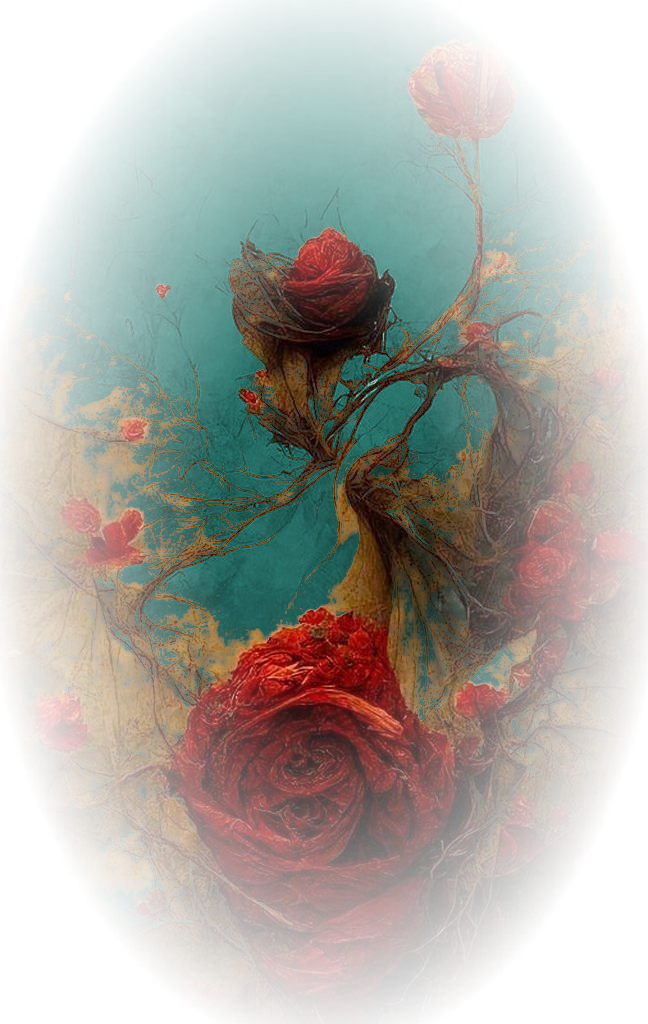
Open and copy the image

Paste into Selection

3

Setting - blur - Gaussian blur to 25

4

Layers - new layer

Fill in with the gradient

Merge Mode - Multiply


5

Open and copy Deco1_meluzine

Paste as new layer

Fusion mode - Soft light


6

Enable Raster Layer 1

Fusion mode - Soft light


7

Enable Raster Layer 2

Open and copy Deco2_Meluzine

Paste as new layer

Adjustment - hue and saturation - colorize


8

Selections - Alpha channel - selection 1


Layers - new layer

Fill in with color #4c919a

9

Open and copy the misted_meluzine

Paste into Selection

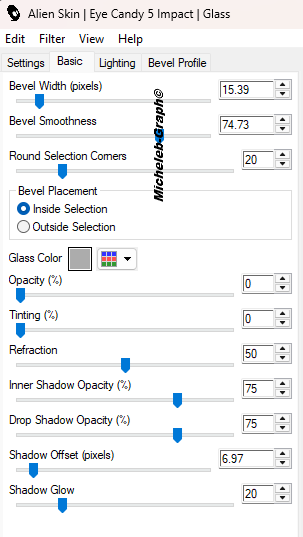
Filters - Alien Skin - Eye Candy5 - Impact: Glass

Apply the Preset_Meluzine or enter the settings manually


10

Enable Raster layer 3 (deco_2)

Selections - Alpha Channel - Selection 2


Layers - new layer

Fill in with color #3e7077

11

Put the color white in the background

Filters - Unlimited 2.0 - FunHouse: Loom


Keep the selection

12

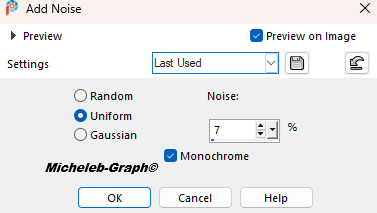
Adjustment - add noise - add noise


13

Filters - Alien Skin - Eye Candy5 - Glass

Apply the Preset_Meluzine or enter the settings manually


14

Image - add borders

6 px - #83b3bb

6 px - #214655

15

Selections - select all

Edition - copy

16

Images - add borders

48 px - any color

Selections - reverse

17

Paste into Selection

Setting - blur - Gaussian blur to 25

18

Keep the selection

Image - mirror - vertical mirror

Image - mirror - horizontal mirror

19

Layers - new layer

Open and copy Deco1_Meluzine

Paste into Selection

Fusion mode - Soft light


20

Selections - reverse

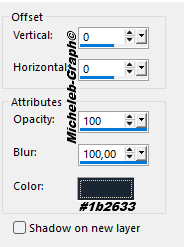
Effects - 3D - drop shadow


Repeat the drop shadow

21

Open and copy the tube_meluzine

Paste as new layer

Position (K on your keyboard)


Press "M" to deactivate

22

Open and copy title

Paste as new layer

Position (K on your keyboard)


Press "M" to deactivate

You can colorize it according to your own colors.

23

Add your signature

Add NaiseM’s signature

Add my signature Translation Micheleb-Graph

24

Layers - merge - merge all

Save as. Jpg


Your creation is complete

Can you send it to me by email


Version of my tester

Irene


INDEX


Licence Creative Commons
Ce(tte) œuvre est mise à disposition selon les termes de la Licence Creative Commons Attribution - Pas d’Utilisation Commerciale - Pas de Modification 3.0 France.