
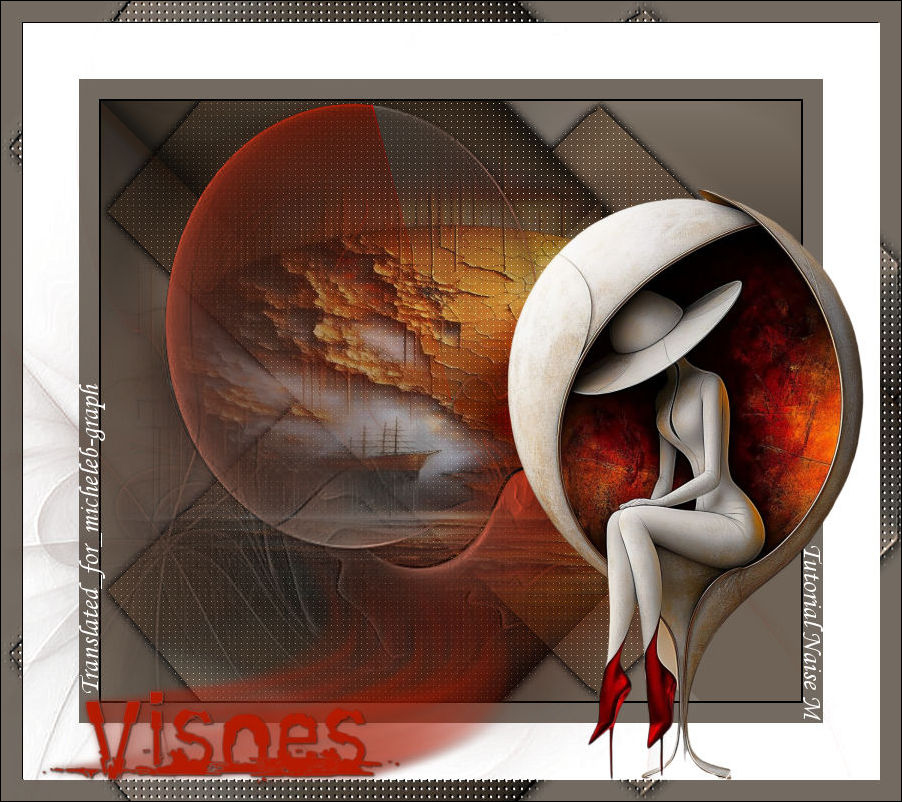
For my personal version, I thank Luz Cristina for her decorative and landscape hits.
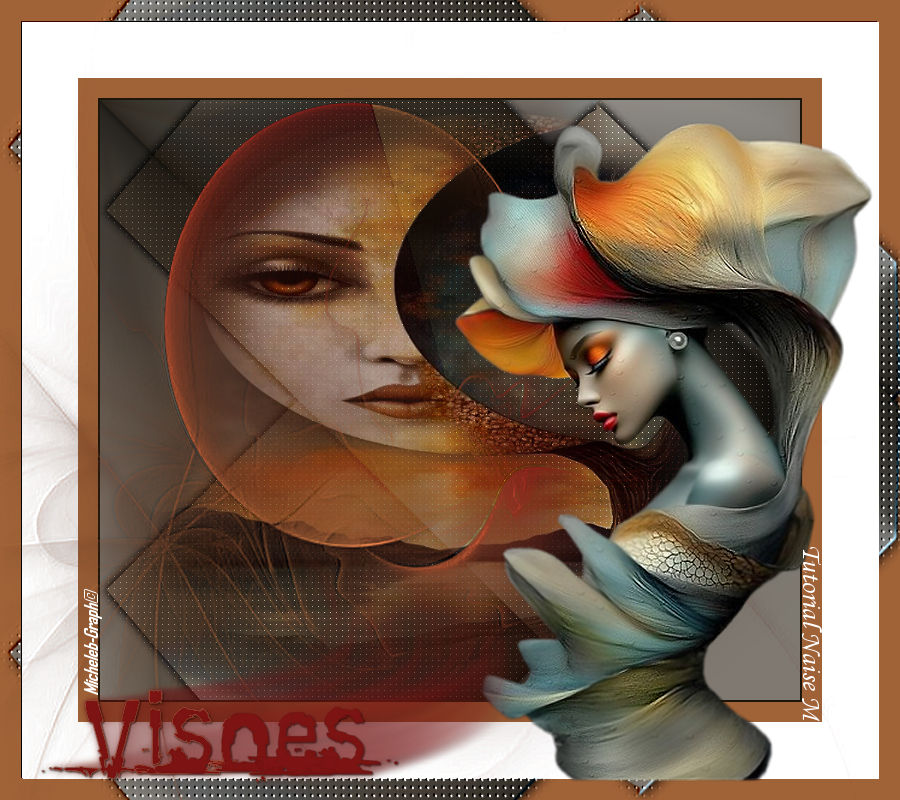
I thank Naise M for allowing me to translate her tutorials into English
Tutorial created and translated on Psp 2020

Material

main tube
misted
Narah_Mask_1394
#select_visoes
Image
Title
NaiseM’s watermark
as well as mine Micheleb-Graph translation
****
Filters

Mehdi - Sorting Tiles
Carolaine & Sensibility - CS-LDots
****
Colors
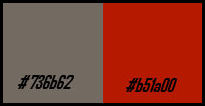
1
Open a new
transparent image of 700 x 600 px
Selections - select all
2
Open and copy the
image
Paste into Selection
3
Effects - image
effects - seamless mosaic

Setting - blur -
Gaussian blur at 29
4
Filters - Mehdi -
Sorting Tiles
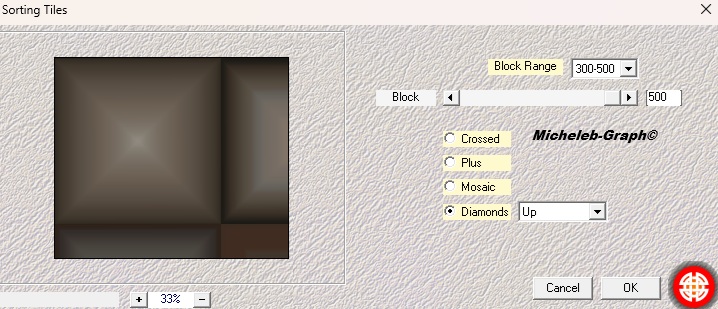
Effects - image
effects - seamless mosaic *as before*
5
Filters - Mehdi - Sorting Tiles
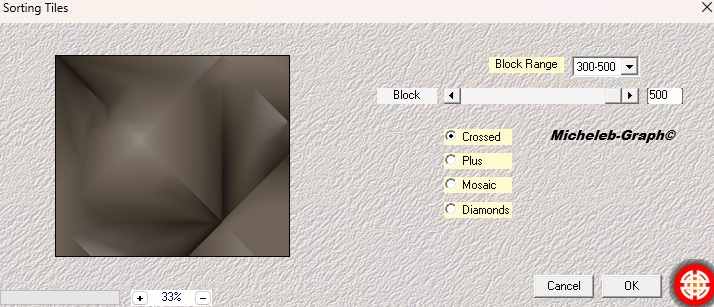
6
Selections - load from disk -
#select_visoes
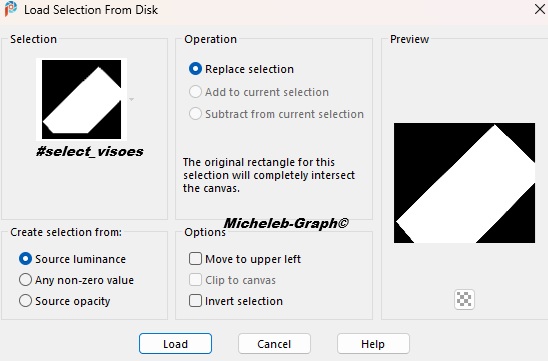
7
Selections - transform the selection
into a layer
Effects - 3D - drop shadow
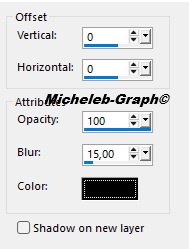

8
Layers - duplicate
Image - back - vertical
Layers - merge - merge layer below
9
Filters - Carolaine & Sensibility -
CS-LDots
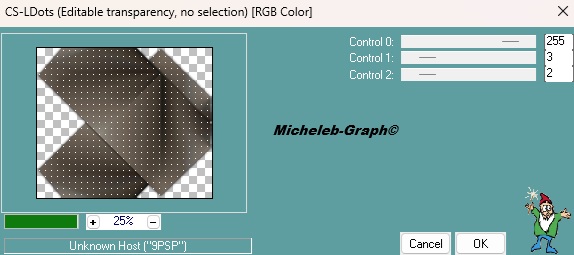
10
Enable Raster Layer 1
Layers - new layer
Selections - select all
Open and copy the misted tube
Paste into Selection
11
Enable Top Layer
Merge Mode - Overlay
Layers - merge - merge visible layers
Edition - copy
12
Images - add borders
2 px - black color
20 px - #736b62
56 px - white color
Selections - select all
13
Images - add borders
22 px - #736b62
Selections - reverse
Edition - paste into selection (image in memory)
14
Filters - Custom - Emboss 3

15
Layers - new layer
Fill in with the following Radial gradient

16
Open and minimize Narah_Mask_1394
Layers - new mask layer - from an image - load Narah_Mask_1394
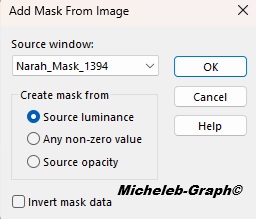
Layers - merge - merge the group
17
Effects - 3D - drop shadow
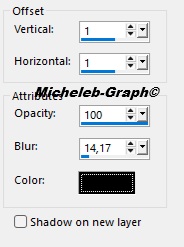
Filters - Custom - Emboss 3
18
Open and copy the main tube
Paste as new layer
Position to the right or (K on your keyboard)
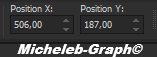
19
Open and copy title
Paste as new layer
Position it at the bottom left or (K on your keyboard)
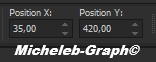
20
Add your signature/watermark
Add NaiseM’s signature
Add my signature Translation Micheleb-Graph
Layers - merge - merge all
Save as. Jpg
****
Your creation is completed, you can send it to me by email.

Version of my tester :
I rène

Ce(tte) œuvre est mise à disposition selon les termes de la Licence Creative Commons Attribution - Pas d’Utilisation Commerciale - Pas de Modification 3.0 France.