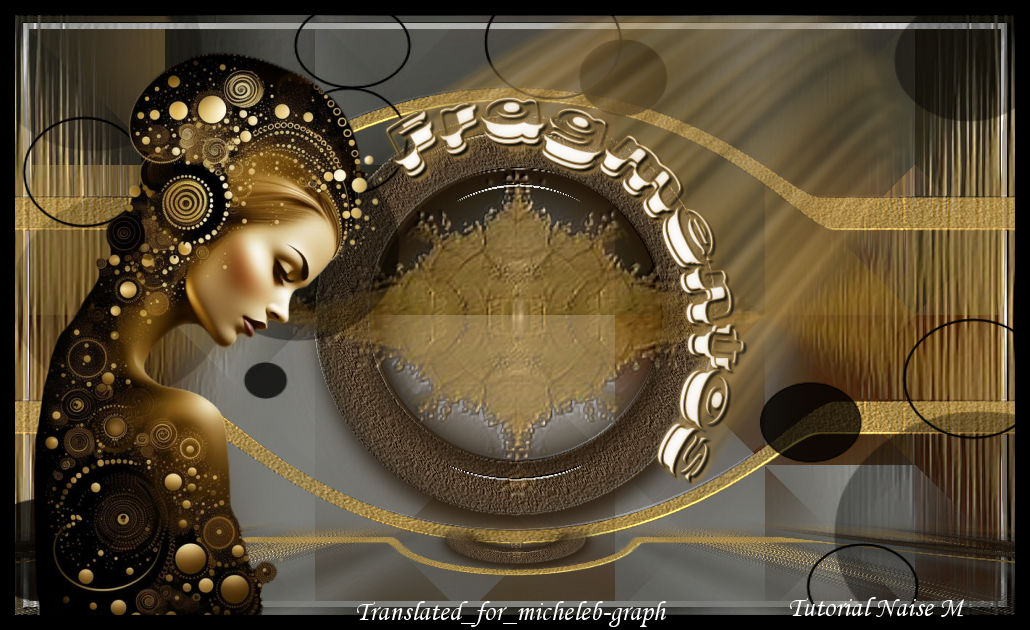
 All the tutorials are personal, created by NaiseM and translated by me Any resemblance to another on the Net would be pure coincidence. Tutorial created and translated with Psp 2020 

 Material  Filters  Mehdi - Sorting Tiles MuRa's Meister - Perspective Tiling  1 Open the Alpha Channel layer Window - duplicate Close the original - We will work on the copy 2 Selections - select all Open and copy the image Paste in the selection Selections - select none 3 Setting - blur - Gaussian blur at 30 Filters - Mehdi - Sorting Tiles 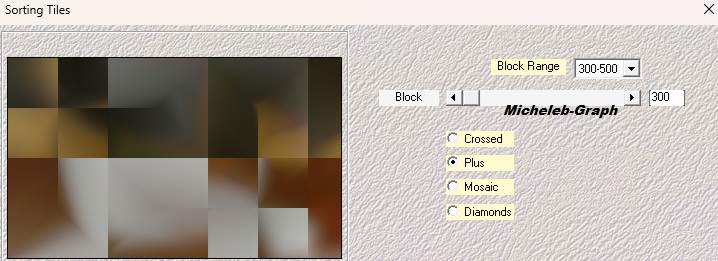 5 Filters - Mehdi - Sorting Tiles  6 Layers - new layer Selections - Alpha Channel - Selection #1 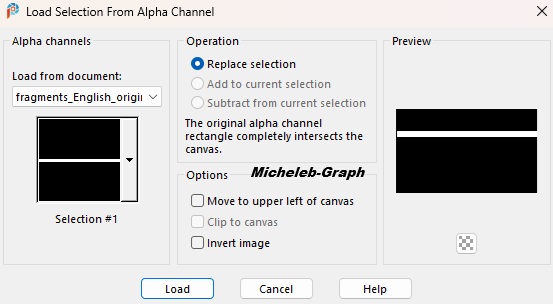 Fill with color #c29d4f 7 Setting - add/remove noise - add noise  Selections - do not select anything 8 Effects - distortion effects - Warp 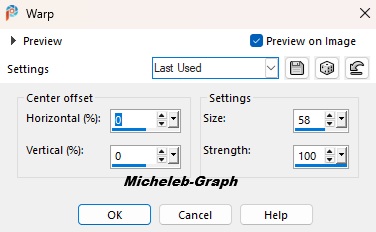 Layers - duplicate Image - mirror - vertical mirror Layers - merge - merge layer from below Images - resize to 80% - All layers NOT checked 9 With the selection tool (K) stretch to the sides 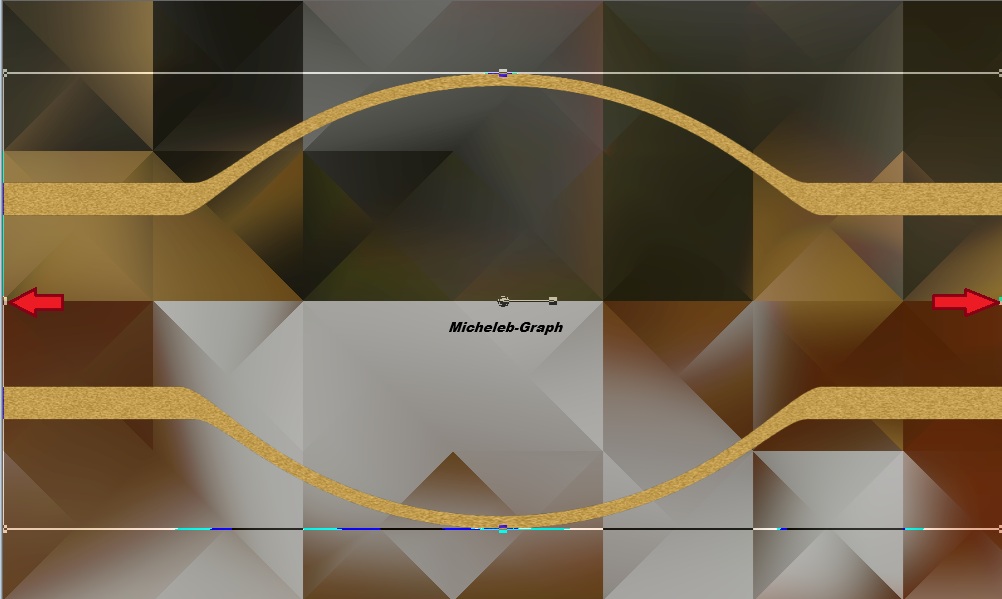 10 Layers - new layer Selections - load from alpha channel - Selection 2 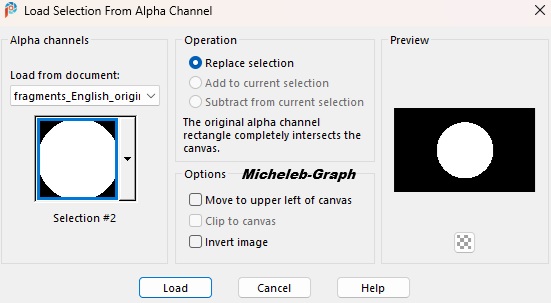 Fill with color #655847 11 Selections - modify - contract from 54 Press the "Delete" key on your keyboard Selections - select none 12 With the "Magic wand" tool select the circle 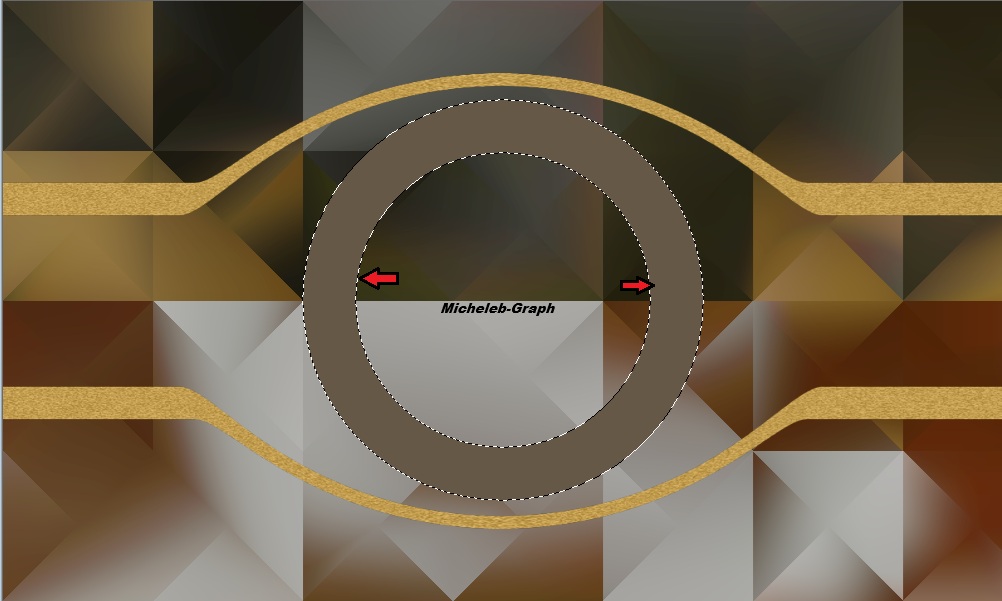 Setting - add/remove noise - add noise 13 Keep the selection Filters - Alien Skin - Eye Candy 5 - Impact - Glass Apply the preset_fragmentos  Selections - select none 14 Selections - load from alpha channel - selection 3  Répétez Alien Skin - Eye Candy 5 - Impact - Glass Layers - merge - merge down 15 Layers - new layer Selections - select all Open and copy the mask_deco Paste in the selection Selections - do not select anything 16 Layers - duplicate Image - merge - merge layer from below Filters - custom filters - Emboss 3  17 Layers - new layer Fill with the color black #000000 Open and minimize the NarahMask_1572 mask Layers - new mask layer - from an image Load the NarahMask_1572 mask  Layers - merge - merge group Images - mirror - horizontal mirror 18 Layers - duplicate Fusion mode - Soft light  19 Activate the Raster layer 1 Layers - duplicate Filters - MuRa’s Meister - Tiling Perspective  20 Activate the "Magic Wand" tool - Progressive at 26  Press 12x on the "delete" key of your keyboard Selections - do not select anything 21 Activate the "Merged" layer Filters - AAA Frames - Foto Frame  22 Activate the layer at the top of the stack Open and copy the tube nome_brooks (title) Paste as new layer Position (K on your keyboard)  Press "M" to disable 23 Images - add borders 15 px - black color #000000 24 Open and copy your main tube Paste as new layer Position to the left 25 Add your signature Add the signature of NaiseM as well as mine Translation Micheleb-Graph Layers - merge - merge all Save as. Jpg Your creation is finished, you can send it to me by email if you wish  Tutorial create on 03.01.26 Translated on 09.03.26 Version of my tester Irène  Index  Ce(tte) œuvre est mise à disposition selon les termes de la Licence Creative Commons Attribution - Pas d’Utilisation Commerciale - Pas de Modification 3.0 France. |